
Description
Product Overview
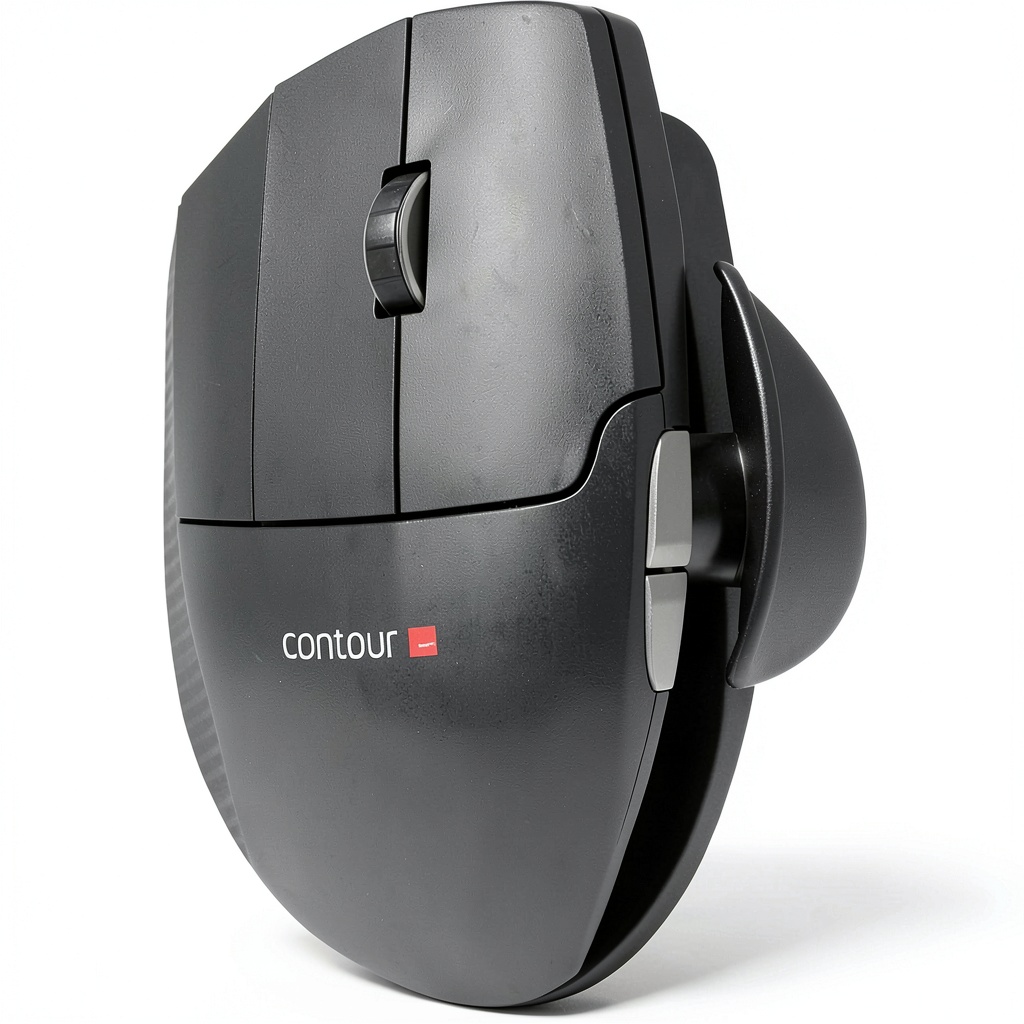
The Contour Design Unimouse Ergonomic Wireless Mouse is engineered for left-handed users, providing a comfortable and efficient computing experience. It connects wirelessly via a USB receiver and utilizes optical technology for accurate movement detection. The mouse features a 7-button design, including a back button and six programmable buttons, allowing for customizable shortcuts and enhanced workflow. Crafted with a right-hand design that accommodates left-handed use, it ensures a natural grip and reduces hand fatigue. Compatible with a wide range of Windows and Mac computers, this mouse is built for durability and everyday use in home, office, or creative environments.
Usage
This mouse is ideal for left-handed individuals who spend long hours on computers, whether for work, gaming, or creative tasks. It suits environments like home offices, corporate settings, and educational institutions, where precision and comfort are essential. The programmable buttons make it perfect for tasks requiring frequent shortcuts, such as graphic design, coding, or document editing. Its wireless design eliminates cable clutter, promoting a clean and organized workspace, while the ergonomic shape supports reduced strain during extended use.
Why Choose Us
Contour Design focuses on ergonomic innovation, ensuring this mouse offers superior comfort and functionality for left-handed users. Unlike generic mice, it is specifically tailored to reduce the risk of repetitive strain injuries, with a design that promotes natural hand positioning. The high-quality materials and precise optical sensors provide reliable performance, backed by compatibility with major operating systems. This product stands out for its attention to detail, user-centric features, and commitment to enhancing daily productivity without compromising on quality.
Key Features
- Wireless connectivity for a clutter-free setup and easy mobility
- Optical tracking technology ensures accurate and smooth cursor control
- 7-button design with programmable options for customizable shortcuts
- Ergonomic right-hand shape adapted for comfortable left-handed use
- Broad compatibility with Windows and Mac computers for versatile application
FAQ
Is this mouse compatible with laptops?
Yes, the Contour Design Unimouse works with most laptops that support USB receivers and have compatible operating systems like Windows or macOS.
How do I program the buttons on the mouse?
You can program the buttons using software provided by Contour Design or built-in system settings on your computer, allowing you to assign specific functions or shortcuts.
What is the battery life of this wireless mouse?
The mouse typically offers several months of battery life under normal usage conditions, depending on factors like daily use and battery type.
Can right-handed people use this mouse?
While designed for left-handed users, right-handed individuals may find it usable but less comfortable due to the ergonomic shape tailored for the left hand.
Does it require any drivers for basic functionality?
No, the mouse works plug-and-play for basic functions, but installing drivers may be needed for advanced features like button programming.

Reviews
There are no reviews yet.